Sense Flip Clock & Weather
MACHAPP Software LtdWeather
4.28.93K Reviews
- Version
- 9.14.0
- Installs
- 10.00M
- Age Rating
- Everyone
Screenshots
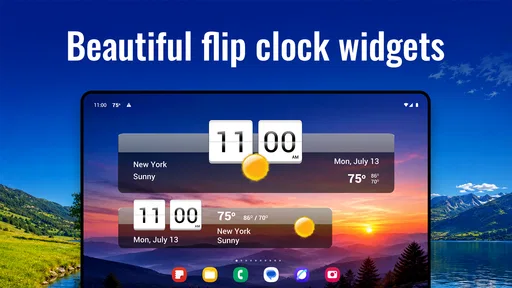
Our Review of Sense Flip Clock & Weather
 Analysis by Appyee
I like weather apps best when they answer two ordinary questions quickly: what is it like outside, and what should I expect later? Sense Flip Clock & Weather tries to make those answers feel at home on the screen, pairing a flip-style clock with local and international forecasts. I find that combination more useful than a decorative clock alone, especially when I want a quick glance before getting dressed or heading out.
A familiar screen with a practical purpose
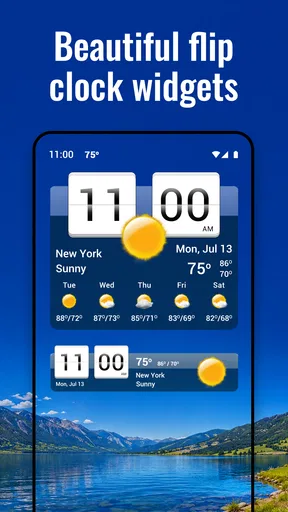
The flip-clock design gives this weather app a distinct personality, but its value depends on more than the animation. The clock and forecast put time and conditions together, which can save a small step in a morning routine. If you already check your phone for the time, having weather information nearby makes it easier to notice a change in the day before you leave.
The trade-off is that the look will not suit everyone. Some people prefer a plain forecast page with minimal decoration, and a flip clock may feel like visual extra rather than a benefit. I would choose this app when I want a glanceable clock-and-weather setup, not when I am looking for the most stripped-back way to read a forecast.
What its long life says—and what it does not
MACHAPP Software Ltd released the app on December 28, 2011, and the current version is 9.01.0. That history suggests a product that has continued to be maintained over a long period, though a version number by itself cannot tell me exactly which features changed or how each update affects a particular phone. The useful takeaway is that this is an established app rather than a new experiment, while the experience on your own device is still the best test.
Its reach is substantial: it has over 10 million installs, with an average rating of 4.2 from around 156,000 ratings and about 8,900 written reviews. Those figures indicate that many people have tried it, but they are not a guarantee that its visual style, forecast presentation, or widget behavior will match your preferences. I would treat the broad adoption as a reason to consider it, not as a substitute for checking whether its layout works for you.
First Impressions and Design
As soon as I opened the app, I was greeted by the retro charm of a flip clock. There’s something oddly satisfying about watching the numbers flip, isn’t there? Sense Flip Clock & Weather pairs this with a minimalistic interface that’s both visually appealing and functional. The app’s layout is intuitive, making it easy to navigate even if you’re new to the world of weather apps.
What caught my eye was how neat everything looked. The clock and the weather details are prominently displayed, and the use of icons and colors is just spot on. The design is not only about aesthetics; it actually improves user experience by making essential information readily available at a glance.
Features That Stand Out
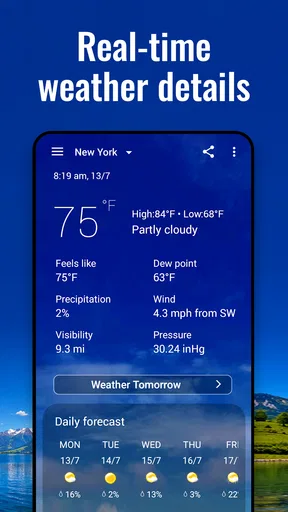
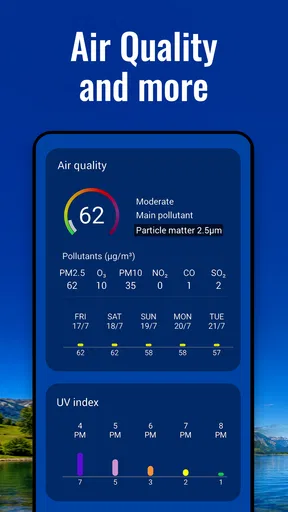
Now, let’s dive into what makes this app a must-try. First off, the weather details are comprehensive. We're talking about forecasts for the next few days, humidity levels, wind speeds, and even the UV index. It’s like having a mini meteorologist in your pocket!
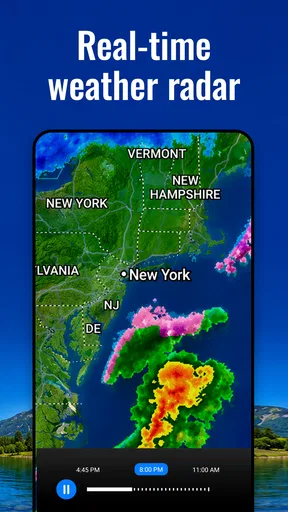
One feature that I found particularly useful is the location-based weather updates. The app automatically detects your location and provides real-time weather updates, which is perfect for those spontaneous road trips or when you’re traveling for work. Plus, you can add multiple locations to keep track of the weather in different places—ideal if you’re planning a vacation or have family in other cities.
Making the forecast part of a real routine
The multiple-location option is most helpful when it answers a specific question, rather than when it becomes a long list to maintain. I would keep home as the default and add only places I genuinely check, such as a destination before a trip or a relative’s city. That makes it faster to compare conditions without turning a simple morning glance into extra browsing.
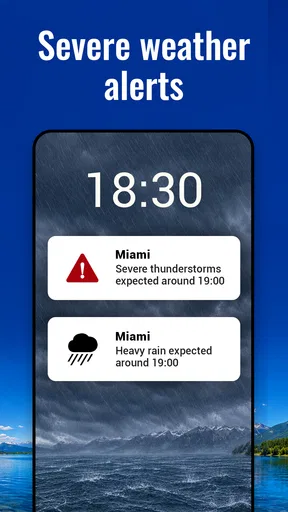
For a practical example, imagine checking the app while getting ready for work. The clock helps you judge how much time remains, and the forecast gives you a reason to bring a layer or reconsider an outdoor lunch. Later, if you are planning a drive, switching to a saved destination can help you check whether its weather differs from home. I would still consult a dedicated warning source when severe conditions matter; a convenient everyday forecast is not a replacement for urgent local alerts.
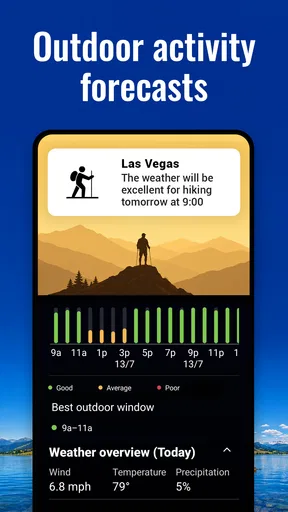
The details such as wind, humidity, and UV are most valuable when tied to an activity. A warm temperature can be misleading if the wind makes a walk uncomfortable, while UV information is useful when deciding how long to spend outdoors. Rather than scanning every number each time, I suggest focusing on the one or two conditions that could change your plans. That makes the extra detail helpful instead of overwhelming.
User Experience
Using Sense Flip Clock & Weather is as smooth as it gets. The transition between different sections of the app is swift, and loading times are practically non-existent. I didn’t experience any crashes or bugs during my time with the app, which speaks volumes about its stability.
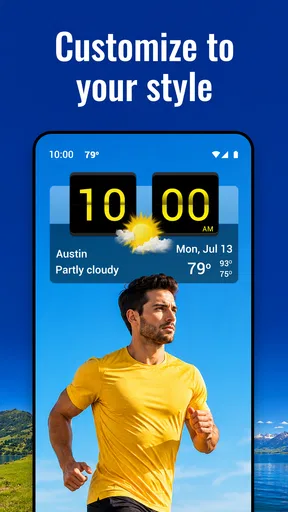
Customization is another aspect where this app shines. You can choose from a variety of skins for the clock and widgets, allowing you to tailor the look to suit your personal style. It’s these little touches that make the app feel personal and user-friendly.
Widgets, choices, and everyday trade-offs
Widgets are a central part of the appeal, but I would treat choosing one as a small design decision, not simply a matter of picking the most attractive skin. A large clock-and-weather widget can make conditions easy to notice without opening the app, but it also takes up more home-screen space. If your screen is already crowded, a smaller arrangement may be more useful even if it shows less at a glance.
I would also spend a moment comparing the available looks with the background and icons already on my phone. Strong contrast makes the time and weather easier to read outdoors or at a quick glance; a skin that looks elegant in a preview may be harder to scan if its colors blend into your wallpaper. The best choice is the one you can read immediately, not necessarily the most elaborate one.
Compared with a phone’s built-in weather view, this app offers a more distinctive clock-led presentation and a customizable widget identity. A standard weather app may be preferable if your priority is a dense forecast layout or a familiar system interface. A minimalist clock widget is better if you only want the time. This app sits between those approaches: it makes sense when you want the clock and forecast together, but less so if you dislike decorative elements or rarely use widgets.
Who will appreciate it, and who may not
I think it is a good fit for people who check the time often, like a retro flip-clock appearance, and want weather close at hand. It also suits users who regularly compare home conditions with a few other locations. The combination can be especially convenient for commuters, travelers, or anyone whose outdoor plans depend on more than temperature alone.
I would steer someone toward another option if they need a highly technical weather workspace, want a purely text-based forecast, or prefer not to customize their home screen. Likewise, if your main need is severe-weather notification, choose a source specifically designed around timely alerts and use this app as a companion for ordinary planning. This distinction matters: a polished daily glance and a decision-grade warning system are not always the same thing.
Accessibility and Compatibility
Whether you’re an Android aficionado or an iOS enthusiast, you’ll find that Sense Flip Clock & Weather runs smoothly across both platforms. It’s optimized to ensure that it doesn’t drain your battery, which is always a win in my book. Plus, the app is lightweight, so it won’t take up much space on your device, leaving room for all your other apps and photos.
The app also supports a range of languages, making it accessible to users around the globe. This is a thoughtful touch, especially for non-English speakers who still want to enjoy the app’s features.
Cost, age suitability, and what to check
The app is free to download and is rated for Everyone, so its basic appeal is not limited to a particular age group. It also offers in-app purchases priced from $4.99 to $15.99 per item. I would begin with the free experience and decide whether the available customization or other paid options address a real need before spending anything. A purchase is easier to justify when it solves a specific annoyance, not just because an extra option is visible.
It supports Android 6.0 and later, which gives owners of older compatible Android devices a reason to consider it. Still, minimum compatibility does not guarantee identical performance across every phone or operating system. If widgets are your main reason for installing it, check how they look and behave on your own home screen before rearranging your setup around them.
What I would keep an eye on
For an established weather app, the most important ongoing question is whether the forecast and location experience remain dependable for the places you care about. I would test the home location first, then add one destination you know well and see whether the presentation is clear enough to use without second-guessing. That is a more meaningful personal check than judging the app by its clock animation alone.
I would also watch how the design choices hold up in day-to-day use: whether the widget stays readable, whether the amount of information feels right, and whether location switching remains convenient rather than cluttered. The version history shows an app that has evolved, but I would not assume that every future release will bring a particular improvement. For me, the best reason to keep it installed is simple: it should make checking the time and planning around the weather feel quicker, not give me another screen to manage.
Final Thoughts
After spending some quality time with Sense Flip Clock & Weather, I can confidently say that it’s more than just a pretty face. It combines functionality with style in a way that few other weather apps do. Whether you’re a weather geek or just someone who likes to stay informed, this app offers everything you need and more.
So, if you’re on the hunt for a new weather app, give Sense Flip Clock & Weather a try. It’s free to download on both Android and iOS, so you’ve got nothing to lose. Trust me; once you’ve experienced the charm of that flip clock paired with detailed weather insights, you’ll wonder how you ever got by without it.
Verdict
Strengths of Sense Flip Clock & Weather
- Intuitive interface with smooth navigation.
- Highly customizable widget settings.
- Accurate and real-time weather updates.
- Elegant design with multiple themes.
- Low battery consumption.
Limitations of Sense Flip Clock & Weather
- Ads can be intrusive at times.
- Limited free features without upgrade.
- Occasional sync issues with weather data.
- May require frequent location permissions.
- Some features need internet access.
Other Releases by MACHAPP Software Ltd
View All
Transparent clock and weather
Weather4.2

Sense V2 Flip Clock & Weather
Weather4.2

Transparent clock weather Pro
Weather4.1

Sense flip clock & weather Pro
Weather4.3
Similar Picks in This Category
View All
Weather - By Xiaomi
Xiaomi Inc.4.1

Weather & Radar Forecast
WetterOnline4.8

Weather
OneLouder Apps4.6

AccuWeather: Weather Radar
AccuWeather3.6

The Weather Channel - Radar
The Weather Channel4.6

1Weather Forecasts & Radar
OneLouder Apps4.3
Frequently Asked Questions
What features does Sense Flip Clock & Weather offer?
Sense Flip Clock & Weather provides a stylish and customizable clock with a flip animation. It includes detailed weather forecasts, current weather conditions, and a range of widgets. Users can customize the appearance and configure various settings such as temperature units, update intervals, and alerts for severe weather conditions.
Is Sense Flip Clock & Weather free to use?
Yes, Sense Flip Clock & Weather is available for free. However, there are in-app purchases that allow users to unlock premium features such as additional themes and the removal of ads. The free version provides essential features, but the premium version enhances the overall experience with more customization options.
How accurate is the weather forecast in Sense Flip Clock & Weather?
The app uses reliable weather data sources to provide accurate forecasts. While it generally offers precise weather information, users should always consider the possibility of minor discrepancies due to the nature of weather prediction. It's advisable to check multiple sources for critical weather decisions.
Can I customize the appearance of the widgets in Sense Flip Clock & Weather?
Yes, the app offers a variety of customization options for its widgets. Users can choose from different themes, adjust the size, and change the layout to fit their home screen aesthetics. Additional customization options are available through in-app purchases, allowing for a personalized user experience.
Does Sense Flip Clock & Weather drain battery life significantly?
The app is designed to be efficient and minimize battery usage. However, the impact on battery life can vary depending on settings such as update frequency and the use of animated widgets. Users can adjust these settings to balance between performance and battery consumption.
